App Management URL
Fera had the ability to send an authenticated request to manage your app using JWT.
On this page
When you create your partner app you can define a management url that Fera will direct the user to for them to manage the app settings.
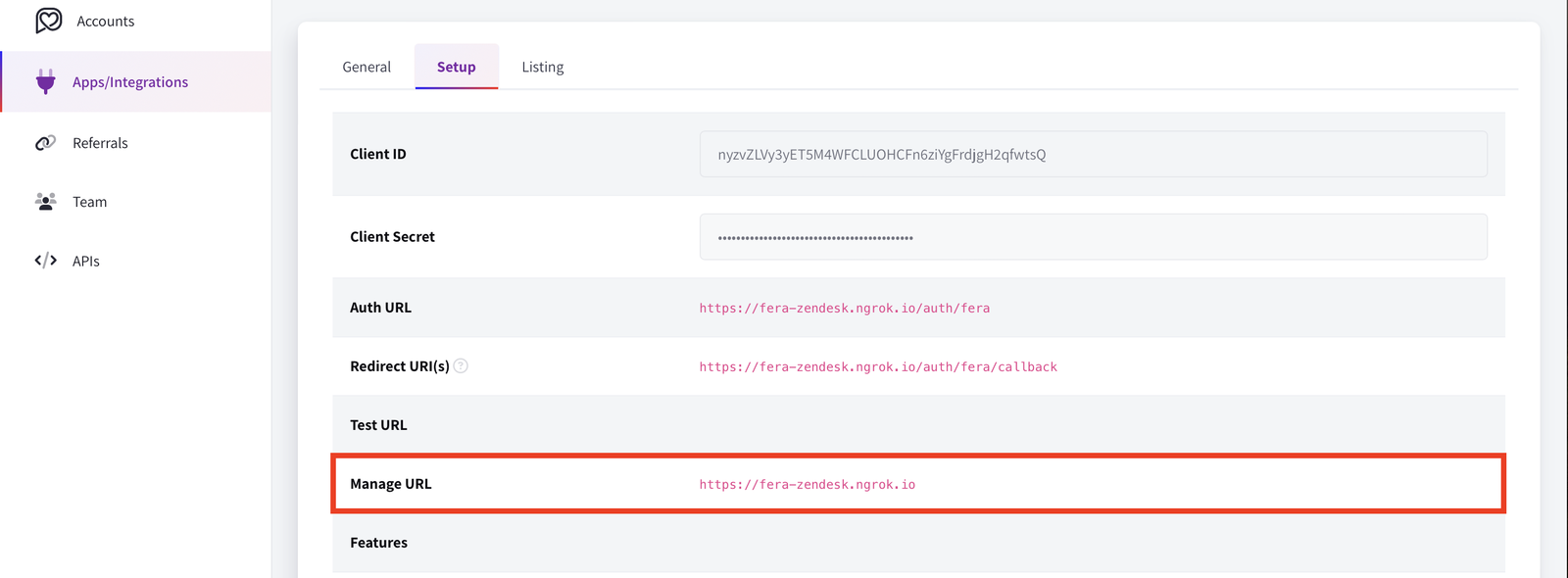 Where you can set the management URL from your Fera app settings.
Authenticating Current Account#
When Fera makes a request to your management URL it will include a JWT token as a jwt query parameter that is encoded using HS256 standard encryption and contains data like this:
{
  store_id: "fsto_abc123", // The Fera account/store's ID
  store_public_key: "pk_abcd123", // The Fera account/store's public API key
  store_domain: "example.myshopify.com", // The Fera store domain (website)
  owner_email: "[email protected]", // The account owner's email
  exp: 1658926619 // A unix timestamp of when the JWT token expires. Typically they last for about 15min-1hr.
}
For example, if your management URL was https://www.example.com/fera/manage then Fera might direct the user to something like:
https://www.example.com/fera/manage?jwt=eyJ0eXAiOiJKV1QiLCJhbGciOiJIUzI1NiJ9.eyJzdG9yZV9pZCI6ImZzdG9fYWJjMTIzIiwic3RvcmVfcHVibGljX2tleSI6InBrX2FiY2QxMjMiLCJzdG9yZV9kb21haW4iOiJleGFtcGxlLm15c2hvcGlmeS5jb20iLCJvd25lcl9lbWFpbCI6ImpvZUBleGFtcGxlLmNvbSIsImV4cCI6MTY1ODkyNjYxOX0.ZOyqRy6m6tKC16xZmlej807ejDK1O9FDlkxx9Aq9i7k
 Here's where a client/store might click to get to this management URL after installing your app.